The biggest leap forward: AI-Powered Data Analysis
This year’s biggest leap forward in TeamDesk is AI-powered Data Analysis, designed to help you get answers from your data faster and with far less setup. You can now open Data Analysis directly from your database navigation and ask questions in plain language—no need to pre-build reports, create formulas, or design dashboards upfront.
In practice, Data Analysis guides you from the very first question. Smart prompt suggestions for every table help you get started instantly, while still giving you full freedom to ask your own questions when you need something specific. You can refine results through follow-up questions, request charts, and even iterate on those charts—for example, by adding reference lines or adjusting how data is grouped. Your analyses are saved automatically, so you can return later, reopen the conversation, and continue right where you left off. Sharing insights is just as easy: use the Copy icon on any response to paste results into an email, document, or presentation.
Privacy and control (and what’s coming next)
Today, AI-powered Data Analysis is available to users with Full Access setup permissions, with plans to extend it to standard users in the future. The feature respects your existing table and column access rights, while data processing involves secure transfer to a third-party cloud service (Microsoft Azure). Looking ahead, we’ve also shared plans to introduce additional controls that allow selected tables or columns to be hidden from AI regardless of access rights.
Direct feedback on AI responses
Following the initial launch, your feedback made one thing clear: to be truly useful across different industries, AI must be more predictable, more accurate, and better aligned with how each organization defines its data. To address this, we introduced enhancements that make Data Analysis smarter and more consistent.
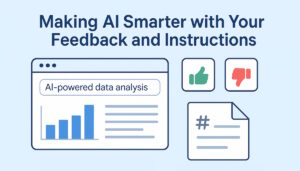
You can now provide direct feedback on AI responses by marking answers as Good or Bad directly in the chat UI. This feedback helps us identify successful patterns, detect unclear or misleading answers, and continuously fine-tune models so results better match how TeamDesk users expect data to be analyzed and presented.
“Teach” AI how your tables work with instructions
In addition, you can now teach AI how your tables work using table-specific instructions. Because every database has unique naming conventions, business rules, filters, and reporting preferences, these instructions—stored as a Markdown file in Database Resources—are automatically applied whenever Data Analysis works with that table. You can define which columns matter most (such as IDs, money, or dates), common filters (like excluding canceled records), preferred groupings and chart types, and special business rules such as sign conventions, balance logic, or domain-specific terminology.
The result is AI-powered Data Analysis that doesn’t reinvent your logic each time—but instead follows your rules consistently, delivering clearer, more reliable insights from your data.
AI that builds with you: View Designer and Form Designer
While Data Analysis was the headline feature, 2025 was also a big year for making building inside TeamDesk faster and more conversational.
AI View Designer: build reports in natural language
View Designer lets you create and refine views by describing what you want. It can create different view types, and even add lookup/summary/formula columns when needed for the report.
One important tip we highlighted: changes apply in real time and can’t be undone, so it’s best to experiment in a development branch first.
AI Form Designer: customize forms with simple instructions
Form Designer brings that same “say what you want” workflow to forms—letting you reshape layouts, collapse empty sections with form behavior, add tooltips, and iterate quickly.
We also included a safety reminder here too: because AI tools aren’t perfect, using a development branch helps protect your live database while you test changes.
Looking ahead
We’re excited about what comes next—especially as Data Analysis becomes more customizable and more widely available, and as your feedback continues to shape how TeamDesk AI behaves in real-world scenarios.
If you haven’t tried Data Analysis yet, this is a great time to:
- ask questions,
- explore trends,
- refine results through follow-ups,
- provide feedback,
- and add table instructions so the AI understands your business rules.
Thank you — and Happy Holidays!
From everyone at TeamDesk, thank you for being part of our journey. We’re grateful for your trust, your feedback, and the creativity you bring to TeamDesk every day.
We wish you a warm, joyful holiday season—and a New Year filled with health, growth, and great ideas.
Here’s to an even better 2026. 🎄✨