
AI Setup Assistant
AI Setup Assistant is a built-in tool available on TeamDesk setup pages that lets you configure your database using plain language — no manual navigation through menus required.
Using the Assistant
On any setup page, users with the appropriate permissions will see an "Ask a Question" button. Clicking it opens a chat interface where you can describe a change you want to make, ask about your current configuration, or request recommendations on how to structure something.
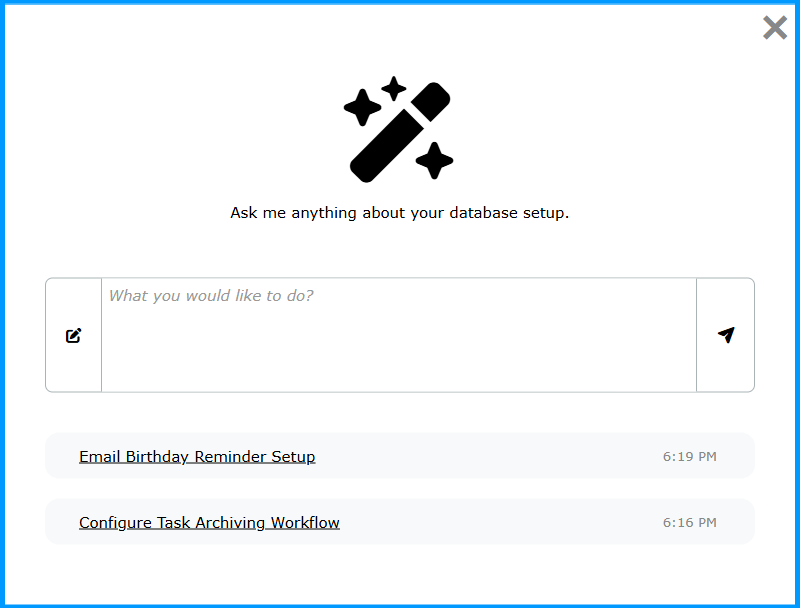
You can start a new conversation or return to a previous one by clicking its name in the list below the dialogue box. To start a fresh conversation in the middle of an ongoing one, click the icon to the left of the dialogue box.
Before applying anything, the assistant walks you through exactly what it plans to do, step by step. If you decide to proceed, it follows up with a full summary of everything that was applied — so you stay in control and have complete visibility into how your database was configured.
The assistant doesn’t just execute what you describe — it analyzes your request, suggests the best way to achieve it, and may recommend a better approach before making any changes.
What the Assistant Can Do
The assistant has full context over your existing database setup and can both read and modify your configuration, including:
- Fields — creating and modifying fields and understanding relationships between them
- Formulas — reading existing calculations and writing new ones tailored to your schema
- Views — creating filtered, sorted, and grouped perspectives on your data, and modifying existing ones
- Forms — adjusting layouts and field visibility for data entry
- Buttons — creating custom buttons that trigger actions on records
- Triggers and actions — understanding and setting up automation logic
Because the assistant works against your actual configuration rather than a generic template, everything it creates or modifies fits your database as it exists.
Known Limitations
- For large or complex requests, AI responses may be incomplete or less accurate due to context size limitations. It is recommended to break large tasks into smaller, focused requests.
- Working in a development branch is recommended for large or complex changes. Once you are satisfied with the result, you can promote them to your production application — keeping your main system protected and giving you the option to revert if needed.