
Data Analysis
AI-Powered Data Analysis in TeamDesk allows users to analyze database data using natural language queries. Users can ask questions, generate insights, and view results without creating reports or formulas manually. The system processes input and returns structured outputs such as summaries, metrics, and charts.
Using Data Analysis
You can find Data Analysis link in the left-side navigation menu, right above your dashboards and views.
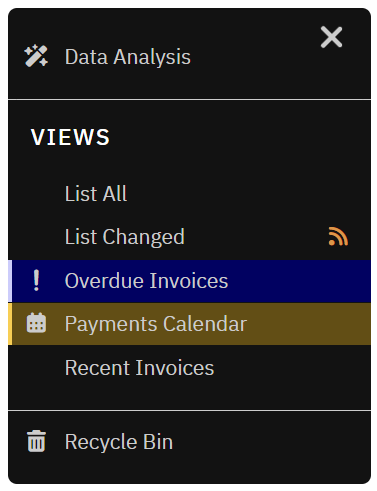
When you click the link a Data Analysis Home screen opens where user can enter a query in natural language, and review the generated results. For every table, the system suggests smart, pre-generated prompts or you can just type your own question.
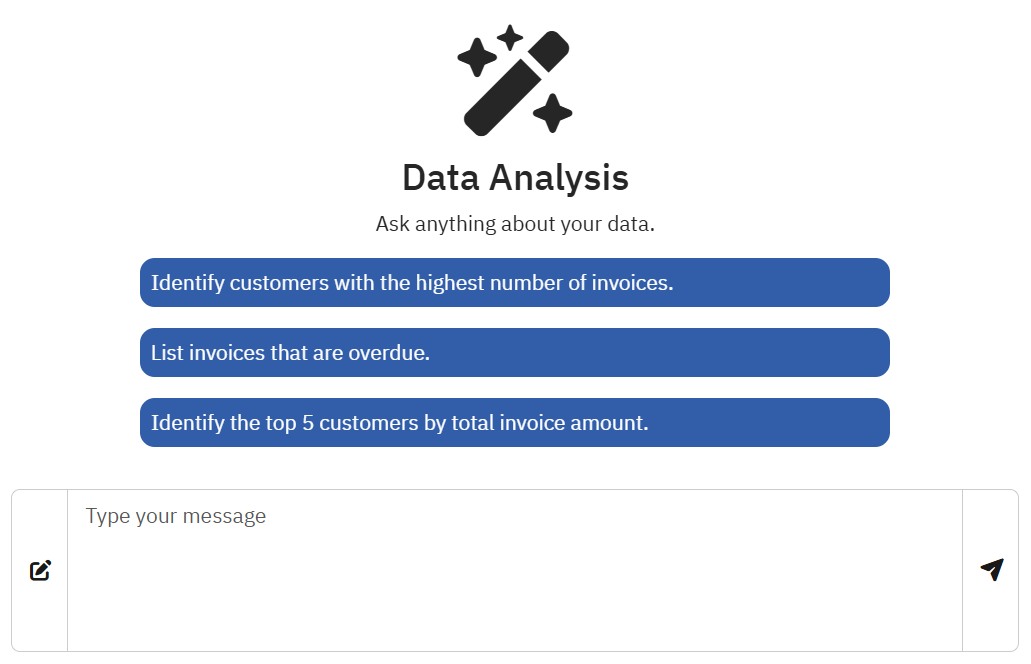
Example
Let’s take the standard Invoicing database as an example.
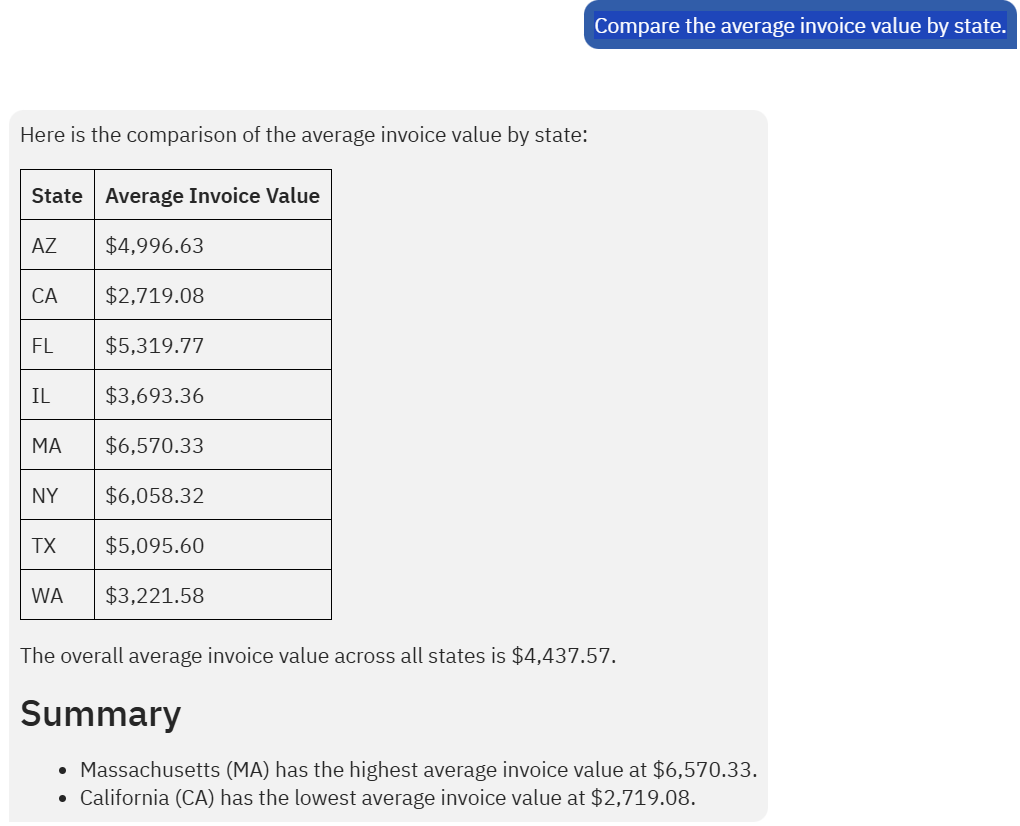
We can ask: "Compare the average invoice value by state".
Here’s what the system produces:
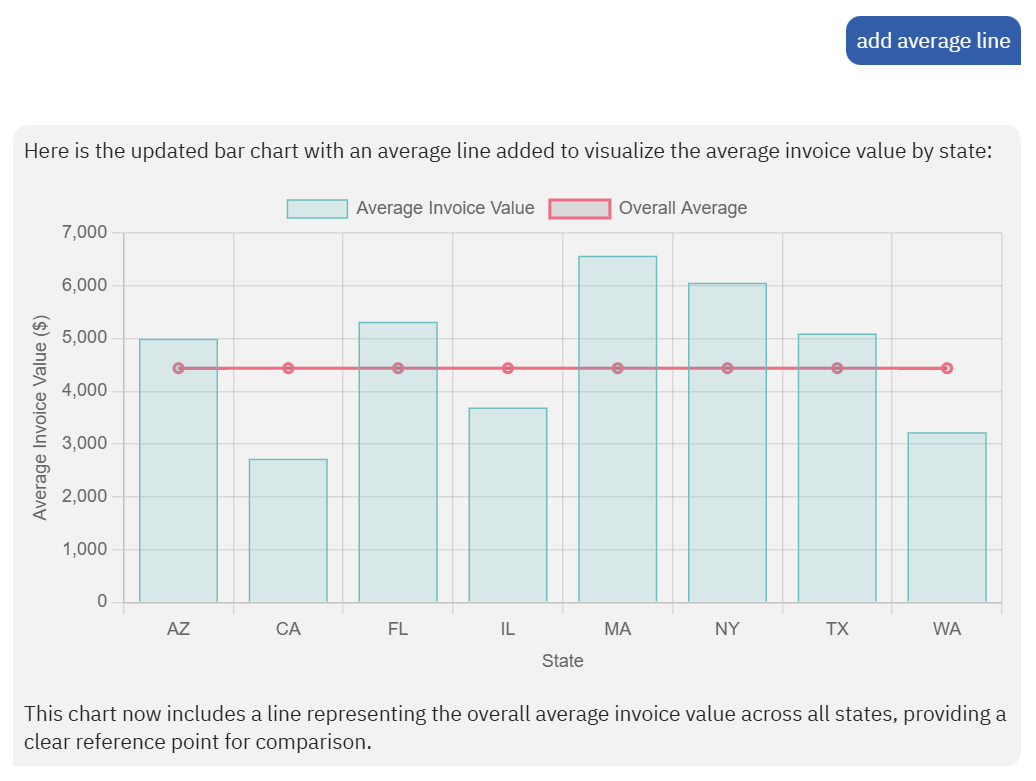
Furthermore, you cn visualize the results and enhance the chart with additional details.
If you like the result, click the Copy icon in the bottom-left corner of the reply and paste the output wherever you need it — like an email or a presentation.

Privacy
AI potentially has access to any data stored in the database respecting user’s tables’ and columns’ access rights and transfers the data to third-party (Microsoft Azure East US 2) cloud service for processing.
This may introduce unwanted leak of personally identifiable information (PII). At the moment, table and columns access rights is the only way to control to what is available to AI.
Limitations
The following limitations apply to the Data Analysis feature:
- Accuracy depends on query clarity and data structure.
- Complex datasets may produce incomplete or less precise results.
- AI-generated outputs should be reviewed before making decisions.