Audit Log
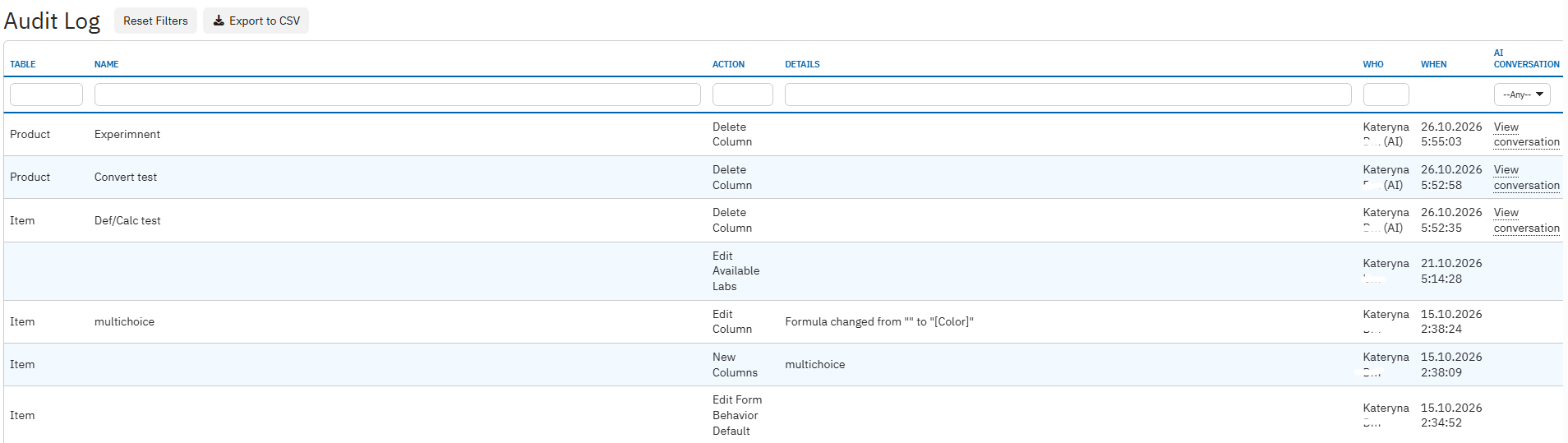
If you wish to review and oversee the alterations performed in Setup mode, utilize the Audit Log tool. This tool compiles information regarding all modifications made in Setup mode within the last 6 months. Additionally, you have the option to export this list of changes to a CSV file.
You can locate this tool in the Setup > Database tab > Tools > Audit Log link.
The Audit Log identifies changes made with the help of AI. For these changes, you can follow a link to open the related discussion and review the conversation that led to the modification.
Filtering options are also available, making it easier to find specific changes in the Audit Log. To filter the log, enter a search request in the respective column and press Enter.